Hydration mismatch là warning React phổ biến nhất ai làm Next.js cũng từng gặp. Bài này list 5 nguyên nhân thực tế + code fix cụ thể - không lý thuyết suông.
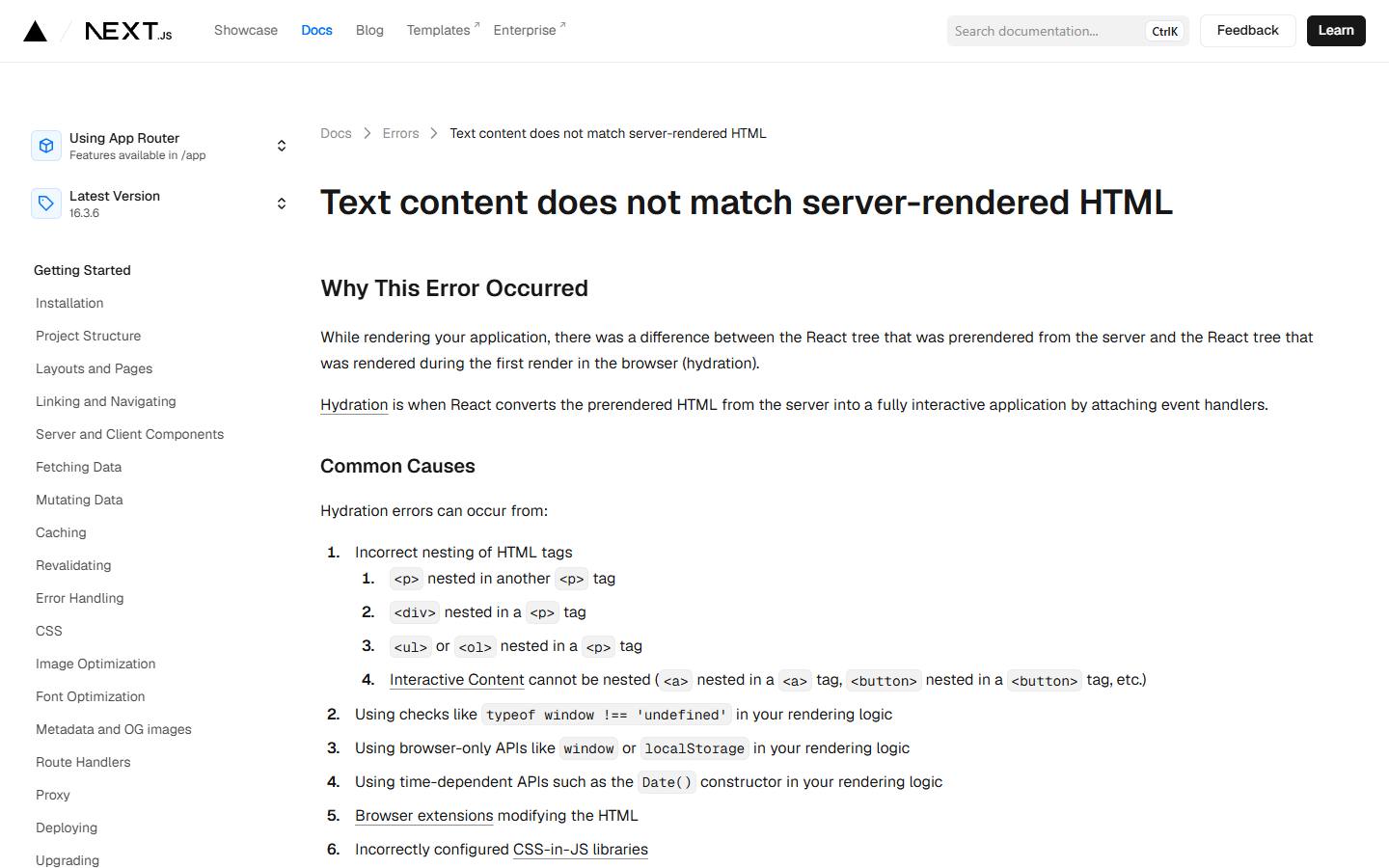
Hydration là gì?
SSR/RSC: server render HTML -> browser nhận. React "hydrate" - gắn event listener vào HTML đã có, KHÔNG re-render. Yêu cầu: output first render ở client phải GIỐNG HỆT HTML server gửi xuống.
Nếu khác -> mismatch. React 18 báo warning + thử "recover" bằng client render lại - flicker, CLS xấu.
1. Date / time
tsx// ❌ Mismatch: server render 10:00:00, client hydrate 10:00:00.150
function Clock() {
  return <div>{new Date().toLocaleTimeString()}</div>
}

// ✓ Fix: render placeholder, set value sau hydration
'use client'
import { useState, useEffect } from 'react'

function Clock() {
  const [time, setTime] = useState<string | null>(null)
  useEffect(() => {
    setTime(new Date().toLocaleTimeString())
    const id = setInterval(() => setTime(new Date().toLocaleTimeString()), 1000)
    return () => clearInterval(id)
  }, [])
  return <div>{time ?? '--:--:--'}</div>
}
2. Math.random / UUID
tsx// ❌ Server và client sinh số khác nhau
function Card() {
  const id = Math.random().toString(36).slice(2)
  return <div data-id={id}>...</div>
}

// ✓ Fix: useId() deterministic
import { useId } from 'react'

function Card() {
  const id = useId()
  return <div data-id={id}>...</div>
}
3. localStorage / sessionStorage
tsx// ❌ Server không có localStorage → undefined; client có giá trị
function ThemeToggle() {
  const stored = typeof localStorage !== 'undefined' ? localStorage.getItem('theme') : 'light'
  return <div className={stored}>...</div>
}

// ✓ Fix: useEffect sync sau mount
'use client'
import { useState, useEffect } from 'react'

function ThemeToggle() {
  const [theme, setTheme] = useState('light')  // server default
  useEffect(() => {
    setTheme(localStorage.getItem('theme') ?? 'light')
  }, [])
  return <div className={theme}>...</div>
}
Tradeoff: flash light theme rồi switch dark. Để tránh flash, set theme class trên html tag qua inline script trước React load (Next supports trong layout):
tsx// app/layout.tsx - inline script chạy trước React
<head>
  <script dangerouslySetInnerHTML={{ __html: `
    try {
      const t = localStorage.getItem('theme') ?? 'light'
      document.documentElement.classList.add(t)
    } catch (e) {}
  ` }} />
</head>
4. Conditional render dựa trên window
tsx// ❌ Server không có window
function Component() {
  if (typeof window !== 'undefined' && window.innerWidth > 768) {
    return <DesktopView />
  }
  return <MobileView />
}

// ✓ Fix 1: useEffect set isClient
'use client'
function Component() {
  const [isClient, setIsClient] = useState(false)
  useEffect(() => setIsClient(true), [])
  if (!isClient) return <MobileView />  // server giả định mobile, ổn cho mobile-first
  return window.innerWidth > 768 ? <DesktopView /> : <MobileView />
}

// ✓ Fix 2: dynamic import { ssr: false }
import dynamic from 'next/dynamic'
const Component = dynamic(() => import('./Component'), { ssr: false })
5. Locale / timezone
tsx// ❌ Server timezone = UTC, client = Asia/Ho_Chi_Minh
function Date({ iso }) {
  return <span>{new Date(iso).toLocaleDateString('vi-VN')}</span>
}

// ✓ Fix: format consistent (cùng locale + timezone)
import { format, toZonedTime } from 'date-fns-tz'

function Date({ iso }) {
  const formatted = format(toZonedTime(iso, 'Asia/Ho_Chi_Minh'), 'dd/MM/yyyy')
  return <span>{formatted}</span>
}
suppressHydrationWarning - escape hatch
tsx// Dùng KHI biết mismatch là intentional + chấp nhận
<time suppressHydrationWarning>
  {new Date().toLocaleTimeString()}
</time>
Đặt trên element cụ thể, không phải toàn page. Hỗ trợ React 18+ chỉ trong root layout cho html lang nếu i18n.
Tip debug
- Mở DevTools -> Console -> tìm "hydration" warning
- Warning ở React 18 in ra HTML server vs client diff
- Nếu warning trỏ component lớn, comment binary search -> tìm element cụ thể
- Thêm key prop hoặc 'use client' tới level chính xác
Kết luận
Hydration mismatch hầu hết do: time, random, browser-only API. Pattern chuẩn: render placeholder server, set value thật trong useEffect. Khi không tránh được, dùng dynamic import ssr:false. Tham khảo React Server Components để hiểu phân chia server/client tránh mismatch ngay từ đầu.